
Claude Code Feature Updates
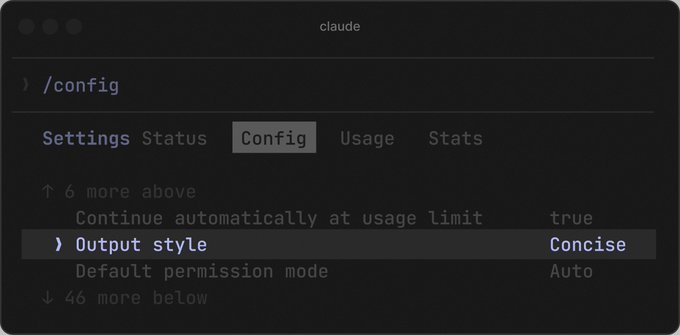
Claude Code has introduced two feature updates: a built-in Claude Design tool and a Concise output mode. The built-in Claude Design is accessible via the `/design` command, enabling users to work on designs within the IDE without switching to the website, and it integrates with local projects. It replaces the need for external skills like `baoyu-design`. The Concise output mode provides results first and reduces verbose explanations, allowing users to expand details only when needed; it is suitable for quick task confirmation. Concise mode can be enabled via `/config → Output style` selecting "Concise" or by adding `"outputStyle": "Concise"` in `settings.json`. Both updates are available now for Claude Code users.
Key insights
Built-in Claude Design streamlines design workflow within Claude Code
The new built-in Claude Design tool allows users to launch design tasks directly with the `/design` command, eliminating the need to switch between the website and the coding environment. It integrates with local projects, making it more convenient than external skill solutions like `baoyu-design`. Users are encouraged to try it for a smoother design experience inside Claude Code.
Concise output mode improves efficiency by reducing verbose explanations
The Concise mode prioritizes results over lengthy explanations, showing the outcome first and allowing users to request more details if needed. It is especially useful for those who want quick confirmation of task results. The mode can be toggled via the `/config` menu or directly in `settings.json` with `"outputStyle": "Concise"`.