
enesozturk Releases dimensional-drawing Skill for Apple-Style UI Spec Sheets
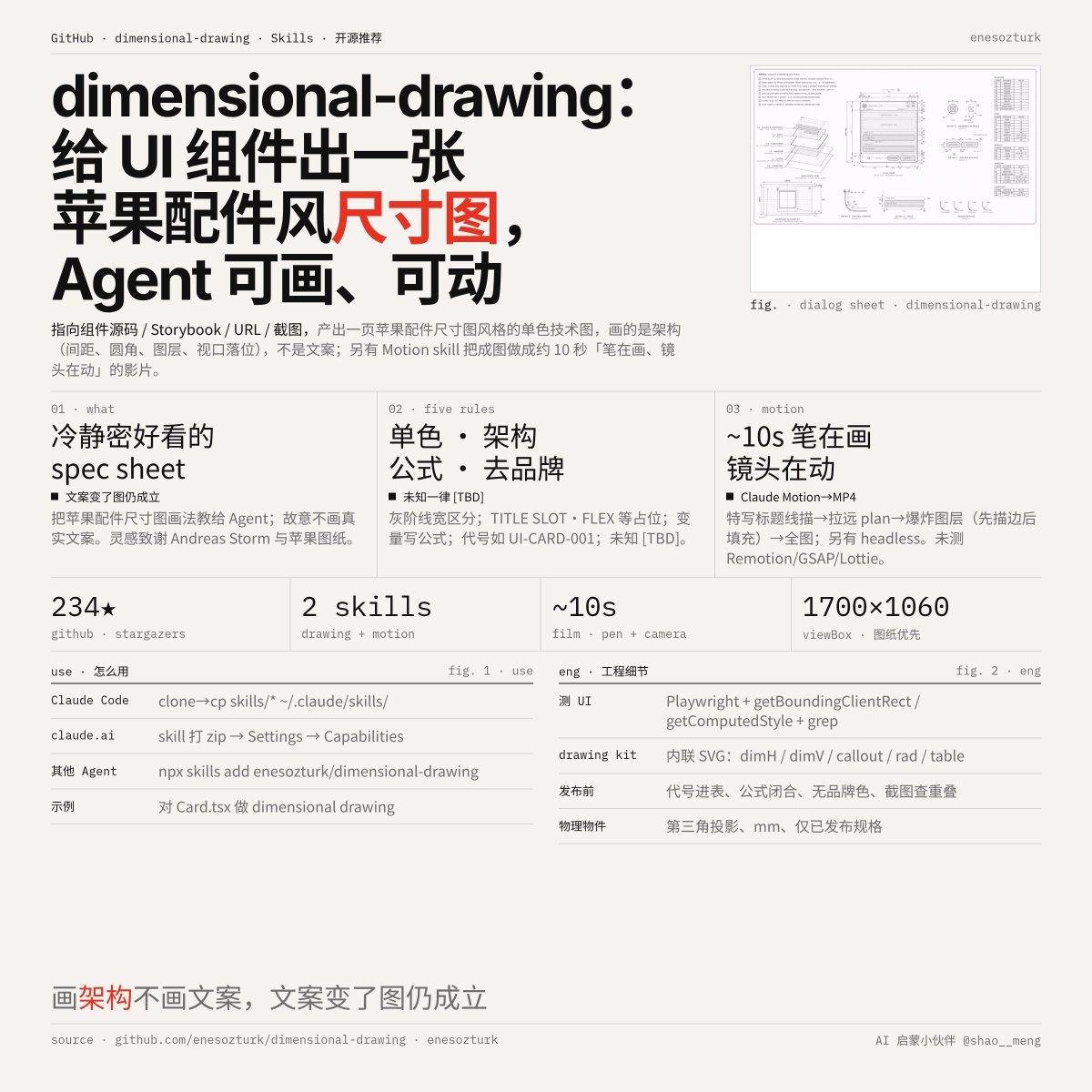
enesozturk published the open-source dimensional-drawing skill, which turns a UI component's source, Storybook, URL or screenshot into a one-page monochrome technical drawing in the style of Apple's accessory dimensional drawings, measuring paddings, gaps, corner radii, layers and viewport placement rather than copy. A companion motion skill converts the finished sheet into a roughly 10-second film, and the repository is released under the MIT license.
Event version 1.
Key insights
Drawing architecture, not content
The skill deliberately omits real copy and content so the drawing stays valid when text changes. It depicts structure such as TITLE SLOT · FLEX, ACTION · HUG and CONTENT SLOT · FILL.
Five stated drawing rules
The rules require monochrome grayscale with line weight, dashes and hatching for differentiation; variables written as formulas such as H1 = 2·S1 + H3; neutral codes like UI-CARD-001 instead of brands; and [TBD] for anything unknown.
Measurement via real rendering
The skill reads real source, renders with Playwright and walks the box tree using getBoundingClientRect and getComputedStyle, with grep used to count instances so variables reflect the system rather than a single case.
Motion output and export paths
The motion skill animates the sheet from a title close-up to a plan drawing, then an exploded layer view and a final pull-back. The primary path exports MP4 through Claude Motion, with a headless Playwright plus ffmpeg option requiring Node 18+.
Installation across agent environments
For Claude Code, skills are copied into ~/.claude/skills/; for claude.ai and Desktop, the skill folder is zipped and added under Settings → Capabilities → Skills; other agents can use npx skills add enesozturk/dimensional-drawing or point directly at SKILL.md.