
GitHub Copilot: Usage Guides and Data-Science Tutorial
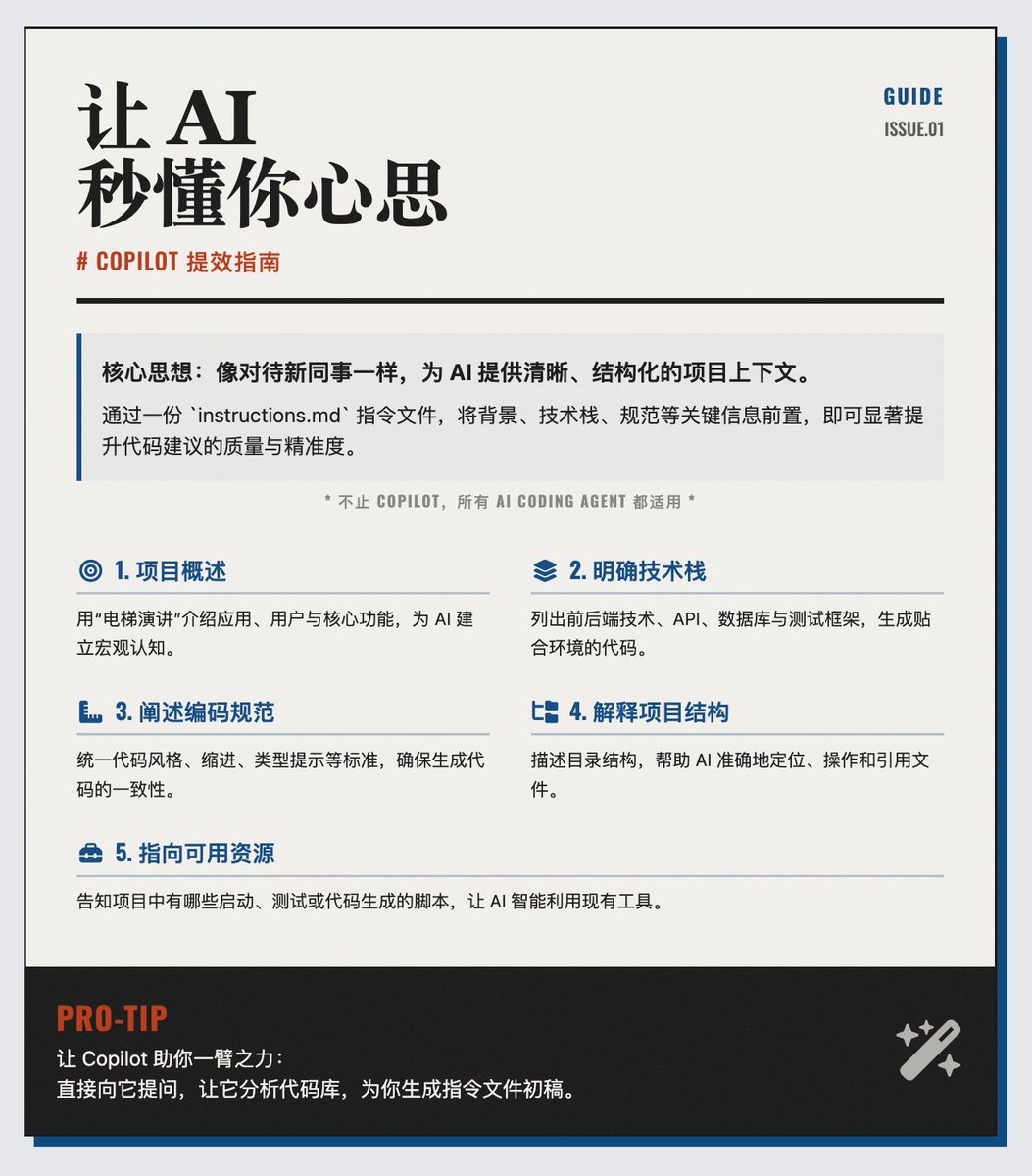
GitHub Copilot promotes structured project context and notebook workflows. - Recommend creating copilot-instructions.md for project context - Include project overview, target users, and core features - List the technology stack, APIs, databases, and test frameworks - Document coding standards like semicolons, typing, indentation - Describe project directory structure for better file targeting - Point to available scripts and tools for starting, testing, and codegen - Tip: ask Copilot to analyze repo and draft the instruction file - GitHub published Copilot for Data Science tutorial - Tutorial covers slash commands, inline chat, and @workspace agents - Tutorial walks CSV cleaning, visualization, high-res chart export, and report generation - Tutorial provides data and dependency environment; requires a GitHub account
Key insights
Maintain a copilot-instructions.md to improve suggestions
The recommended practice is to create a copilot-instructions.md file that supplies project background, technical stack, coding norms, project structure, and available scripts. Providing a short project overview, an explicit technology list, coding standards (semicolons, typing, indentation), directory layout, and references to scripts or tools helps Copilot deliver code that matches project conventions and reduces guesswork. The guidance treats Copilot like a new teammate requiring clear onboarding information.
Copilot can auto-generate the instruction file by analyzing the repo
An additional practical tip is to ask Copilot itself to scan the codebase and draft a copilot-instructions.md file. The article provided example prompts to have Copilot inventory the repository and produce a starter instructions file, accelerating adoption of the structured guidance approach.
GitHub released a Copilot for Data Science tutorial for notebook workflows
GitHub published an open tutorial showing how Copilot for Data Science can speed data-analysis workflows inside Jupyter Notebooks. The tutorial covers slash commands, inline chat, and @workspace agents to perform data cleaning, visualization, and report generation from CSVs, export high-resolution charts, and produce shareable analysis reports. It includes a hands-on project with full data and dependency environment and requires only a GitHub account.