
Guide to Generating Complex Images and Using Models/Canvas Based on Latitude and Longitude
Multiple posts demonstrate the capabilities of Lovart in conjunction with Nano Banana Pro for generating complex images and rendering real-world scenes based on latitude and longitude. The posts highlight that Lovart produces high-resolution images with clearer text rendering; Nano Banana Pro can retrieve real-time information to match local time and weather. Example prompts include specific coordinates (e.g., 44.72067014987598, -110.85475719935745 and 40.00023661635351, 116.27808154448789), requiring the layout of latitude, location information, and weather icons in the bottom left corner of the image along with location descriptions. The author also demonstrates a multi-step controllable generation process that mixes realistic scenes with multiple anime characters (first generating an environmental photo and then adding seven characters with distinct personalities, describing their outfits/actions/positions in rows). The posts introduce methods for specifying models in Lovart (using the Agent input box @ model name) and specific operations for using the Image Generator in the canvas to avoid misconfiguration and point consumption, noting that Lovart is currently free and supports completing previously developed web functions.
Key insights
Ability to Generate Local Real-Time Weather and Time Photos Based on Latitude and Longitude
Multiple posts demonstrate that Nano Banana Pro can generate images or character check-in photos that match the local current time atmosphere and real-time weather based on specified latitude and longitude. Example prompts include specific coordinates (44.72067014987598, -110.85475719935745; 40.00023661635351, 116.27808154448789), requiring beautifully formatted latitude, location information, and weather icons along with a Chinese location introduction in the bottom left corner of the photo. The posts emphasize that Nano Banana Pro has real-time information retrieval capabilities to support this process. Related posts: 12940, 12942, 12956, 12930.
Lovart Can Directly Fulfill the Demand for Generating Check-In Photos with Address/Coordinates
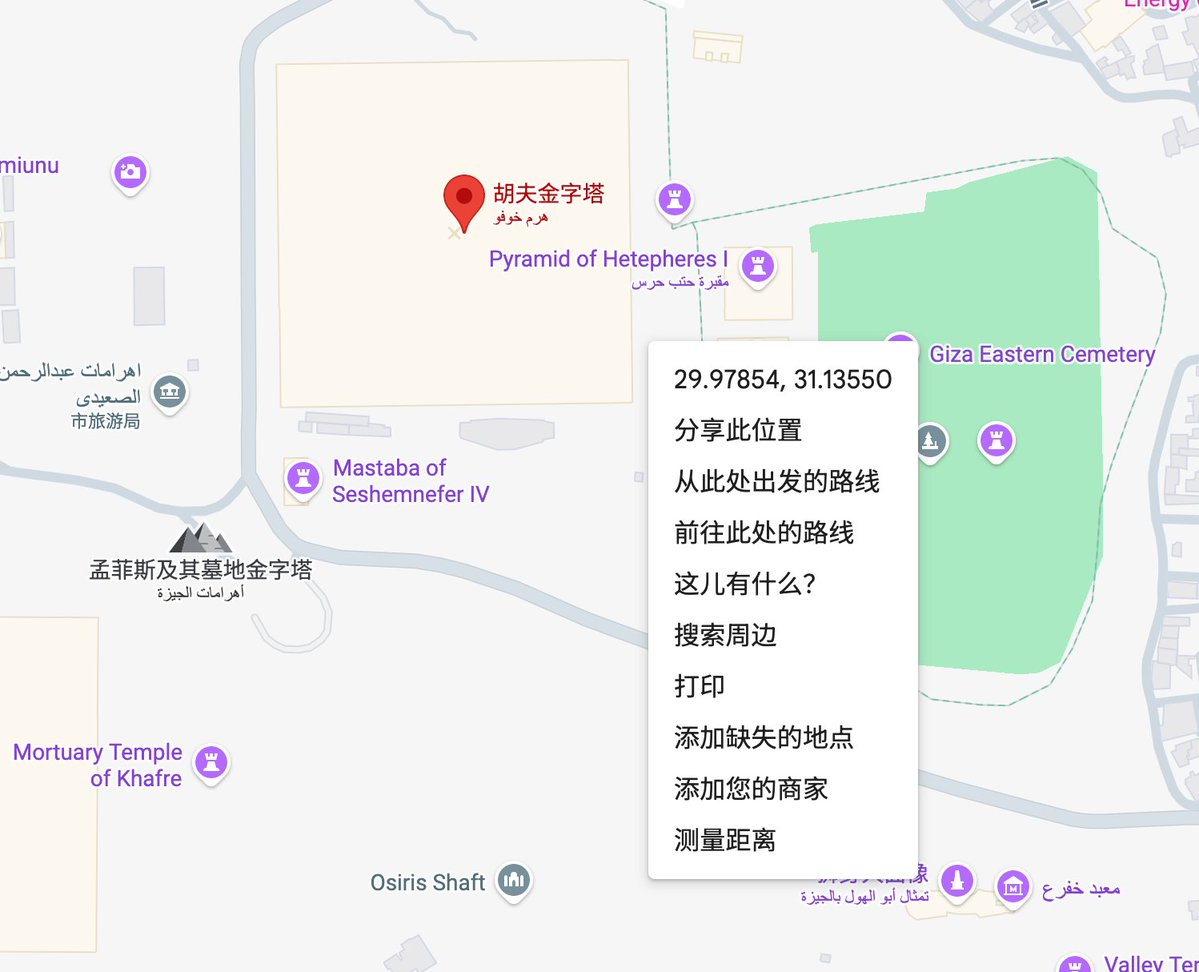
The author initially developed a webpage to generate check-in photos with characters but later discovered that Lovart itself could directly fulfill this function: users can copy coordinates from Google Maps and replace the coordinates in the prompt, submitting them along with character photos and prompts to Lovart to generate check-in photos that match the scene's clothing, time, and weather, with latitude and weather icons formatted in the bottom left corner along with location introduction text. Related posts: 12940, 12956.
Multi-Step Controllable Process Suitable for Adding Anime Characters to Realistic Scenes
The author showcases a multi-step controllable generation scheme: first generating a realistic photo of a specified environment, then adding a specified number (seven in this example) of anime-style characters based on this environmental image, requiring the room to remain realistic, with only the girl being in anime style, and the atmosphere set to lively, describing each person's outfit, actions/expression, and location in a row format. This process involves LLM's prompt generation capability based on image inference, suitable for collaborative use with Lovart. Related posts: 12944, 12956, 12930.
Using Lovart to Specify Models and Generate on Canvas to Reduce Misconfiguration and Point Consumption
The posts repeatedly explain how to specify models in Lovart and correctly use the canvas to avoid miscalling other models and wasting points: you can use the @ model name (e.g., @Nano Banana Pro) in the Agent input box on the right to directly call the target model, or select Image Generator in the left floating window to generate images in the canvas area and input prompts in the settings interface below. The author also provides interface screenshots and operation sequences to guide users. Related posts: 12946, 12948, 12950.