
Midjourney Image Repair and Enhancement Tutorial and Tool Discussion
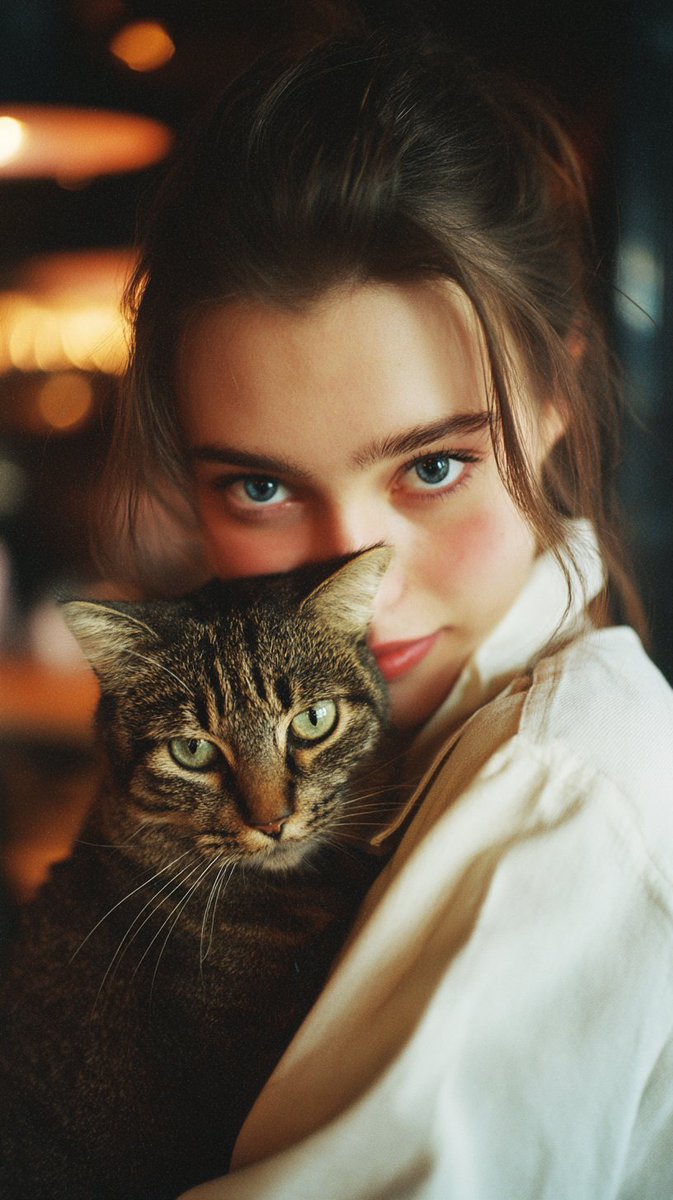
Midjourney often produces a plastic skin effect in complex scenes, and the community shares a set of repair and enhancement processes and parameters.
Key insights
Problem Statement: Midjourney Produces 'Plastic' Skin in Complex Scenes
Multiple posts indicate that Midjourney frequently generates unnatural 'plastic' skin when scenes are slightly complex. Close-up facial images usually appear normal, but issues are evident in full-body shots or under complex lighting. The original post provides a sample prompt for v7 and showcases comparison images that exhibit the plastic effect as evidence.
Repair Tools and Recommended Parameters
Magnific Skin Enhancer is recommended as the primary repair tool. The post suggests using Magnific Skin Enhancer with parameters including Creative mode, Sharpen 0%, and Smart Grain 8%, along with specific usage steps and before-and-after comparison images. Evidence includes multiple comparison images and a list of parameters.
Advanced Parameters and Style Choices for Different Needs
The author lists various parameter combinations: for stronger micro-texturing, use Sharpen 7% and Smart Grain 12% or Flexible + Transform to real; if only minor texture changes are needed, use the Faithful style and adjust Skin detail and other parameters. Multiple examples for photography, 3D rendering, and portraits are provided.
High-Resolution Upscaling Options: Sublime and Creative Upscaler Up to Approximately 7k
The post introduces the use of Sublime upscaler or Midjourney's Creative Upscaler (4x) to achieve high-resolution outputs, claiming it can reach approximately 7k resolution, and provides comparison images before and after upscaling.
Domestic Open Source and Large-Scale Model Supplement: Z-Image-Turbo's Speed and Scale Advantages
Another post mentions the outstanding performance of Tongyi's Z-Image-Turbo model in terms of generation speed and scale, serving as a supplementary tool for processing large-size images. The author provides access links in the comments.
Source posts
- Original post by @javilopen on X
- Original post by @javilopen on X
- Original post by @vista8 on X
- Original post by @javilopen on X
- Original post by @javilopen on X
- Original post by @javilopen on X
- Original post by @javilopen on X
- Original post by @javilopen on X
- Original post by @javilopen on X
- Original post by @javilopen on X
- Original post by @javilopen on X
- Original post by @javilopen on X
- Original post by @javilopen on X
- Original post by @javilopen on X
- Original post by @javilopen on X