
Natural-language Video Processing Tools (ezff & Claude Code)
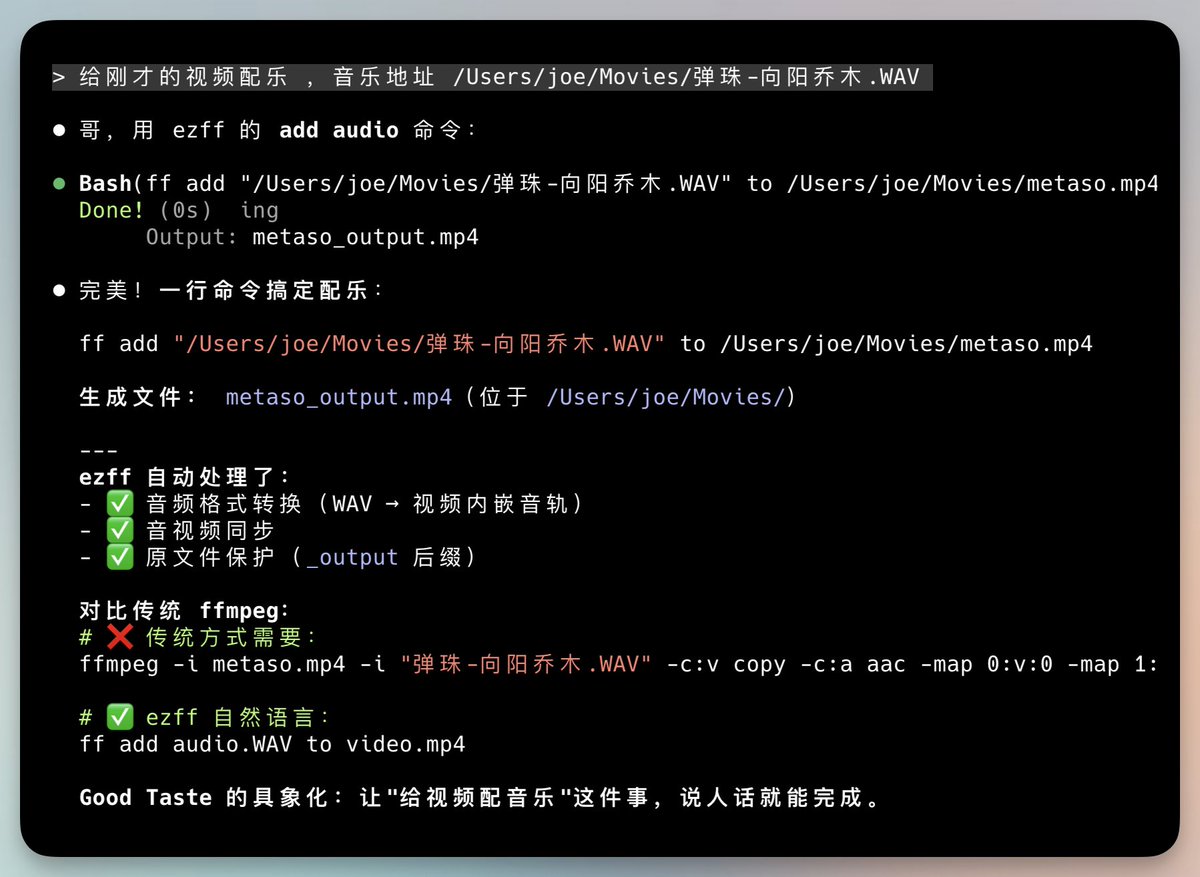
ezff and Claude Code enable NL video processing. - Library turned into a skill under Claude Code support - Implements natural-language video processing operations - Supports adding soundtrack to videos - Supports automatic screenshots from videos - Supports adjusting playback speed - Installable via npm: npm install -g ezff - Starts in terminal with command ff - Paste video URL into ff to begin - Offers video format conversion and compression - Enables resolution changes and speed adjustments - Includes simple NL commands (examples provided) - Example commands: convert, compress, trim, extract audio, speed up/slow down - Published on 2025-12-27 with accompanying images
Key insights
Library converted into a Claude Code skill
A video-processing library has been converted into a skill and is supported by Claude Code, enabling natural-language handling of video tasks. The announcement states the skill implements operations such as adding background music, automatic screenshot capture, and playback speed adjustments. The conversion into a skill and Claude Code support were explicitly stated in the post dated 2025-12-27, and a screenshot image was included to illustrate the integration.
ezff provides a simple CLI install and workflow
ezff is distributed via npm with installation command npm install -g ezff and launches a CLI session with the command ff. The workflow described requires pasting a video URL into the terminal and selecting operations. The post explicitly contrasts ezff with remembering complex ffmpeg commands, positioning the tool as a simpler command-line alternative. The instructions and installation steps were published on 2025-12-27.
Concrete natural-language commands for common video tasks
The tool supports explicit natural-language style commands for common tasks, with examples provided: converting video.mp4 to gif or mp3, compressing to a target size (e.g., 10mb), trimming from 0:30 to 1:00, extracting audio, and changing playback speed (speed up or slow down by 2x). The post lists these example commands verbatim and describes selection of operations such as format conversion, compression, resolution change, trimming, audio extraction, and speed adjustment.