
Prompt engineering and image-generation tool usage
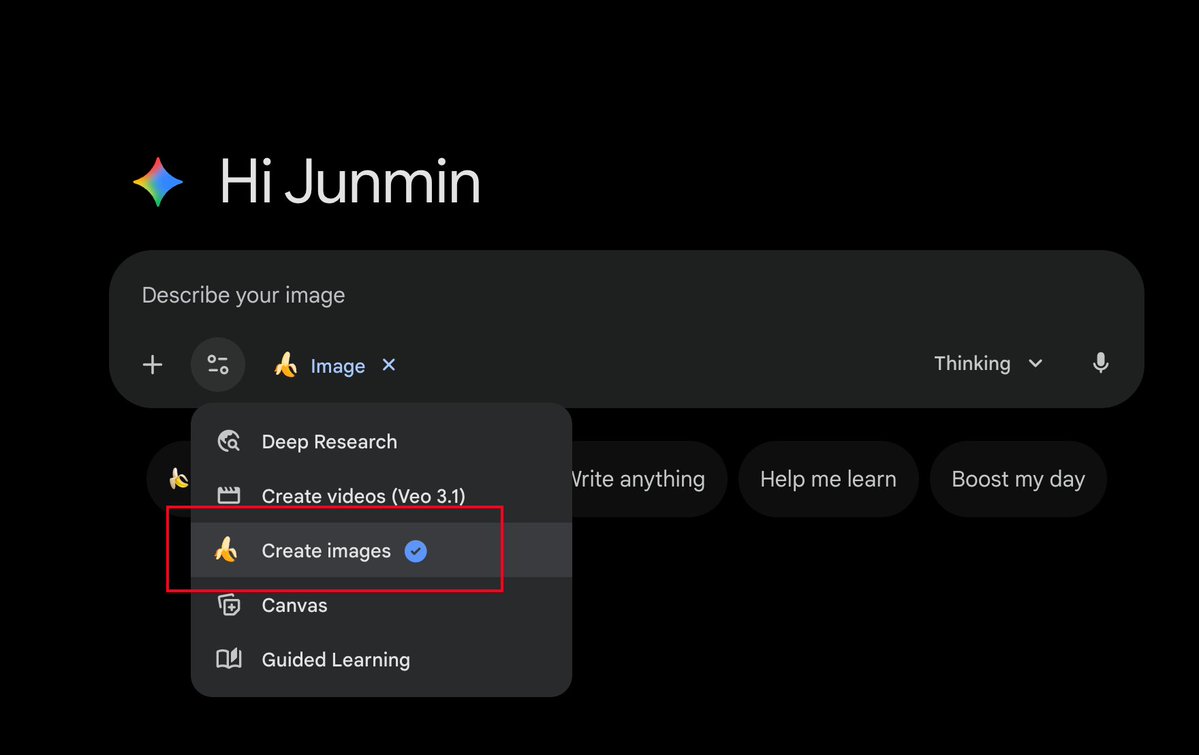
Prompt engineering clarifies image-tool behavior. - LLM APIs accept text and images only. - Chat apps wrap APIs with callable tools. - Tools include search, image, video, research. - 'Create image' toggle adds drawing to system prompt. - Unchecked toggle still allows image calls via context. - Ambiguous commands can prevent image creation. - Suggested test prompt provided for comparison. - Modular 'portal × anime' prompt template shared. - Template specifies camera, aspect ratio 2:3. - Sample variables: Tokyo winter, futuristic city, cyborg. - Face-consistency workflow: generate clean reference first. - Then use references; alternative: change to cartoon/3D. - Recommended models: nano banana pro, 即梦.
Key insights
'Create image' toggle changes tool invocation behavior
The 'Create image' option in apps like Gemini and ChatGPT alters how the chat application instructs the LLM to behave: when checked, it effectively adds a system-level instruction that defaults the model to call an image-generation tool (e.g., 'nano banana pro'). When unchecked, the LLM still knows image tools exist and may call them based on contextual cues. Users reported that checking the option forces the model to treat user inputs as image-generation requests, while ambiguous commands can prevent image creation even when the toggle is selected.
Chat apps wrap LLM APIs with callable tools
Chat applications are implemented as a wrapper around LLM APIs and declare available tools to the model (search, image, video, research). The LLM API itself only accepts images and text and returns text, so applications expose additional capabilities by informing the model which tools can be invoked. This wrapper approach explains why apps can perform actions (search, draw) that plain LLM API calls alone cannot achieve.
Modular 'Portal × Anime' prompt template for crossover scenes
A fully modular prompt template was shared for creating 'Real World × Portal × Anime Character' crossover scenes. The template defines an oval portal, contrasting real-world and inner-portal scenes, a character stepping through holding the viewer's hand, camera angle (third-person), no blur, and aspect ratio 2:3. The template includes variable placeholders (Real_World_Scene, Portal_Inner_Scene, Portal_Inner_Character, Art_Style) and sample values such as a winter Tokyo street and a cyborg girl in a semi-armored exosuit.
Two-step workflow to maintain facial consistency
A recommended method for face consistency uses a two-step process: first generate a clean, high-definition portrait with a removed background (multiple angles if needed) to serve as a reference; second, use that reference image to guide subsequent renders. The author recommends consistency-capable models like 'nano banana pro' or '即梦' and suggests switching to cartoon or 3D styles when model capability or reference difficulty is an issue.
Ambiguity in user instructions affects tool selection
When the system is instructed to default to image creation, ambiguous user instructions can still lead the model to perform non-image tasks (for example, translating text). A test prompt is provided to compare system initialization behavior and to observe whether the model defaults to a drawing tool or another function, highlighting the importance of explicit prompt structure when toggles or system instructions are involved.